FAQ
Summary
This guide walkscovers you through some frequently askedcommon questions and theirprovides answers.
helpful answers for using TriEvents effectively.
What to do if my Organization Access Code leaks?
- Log in to your organization
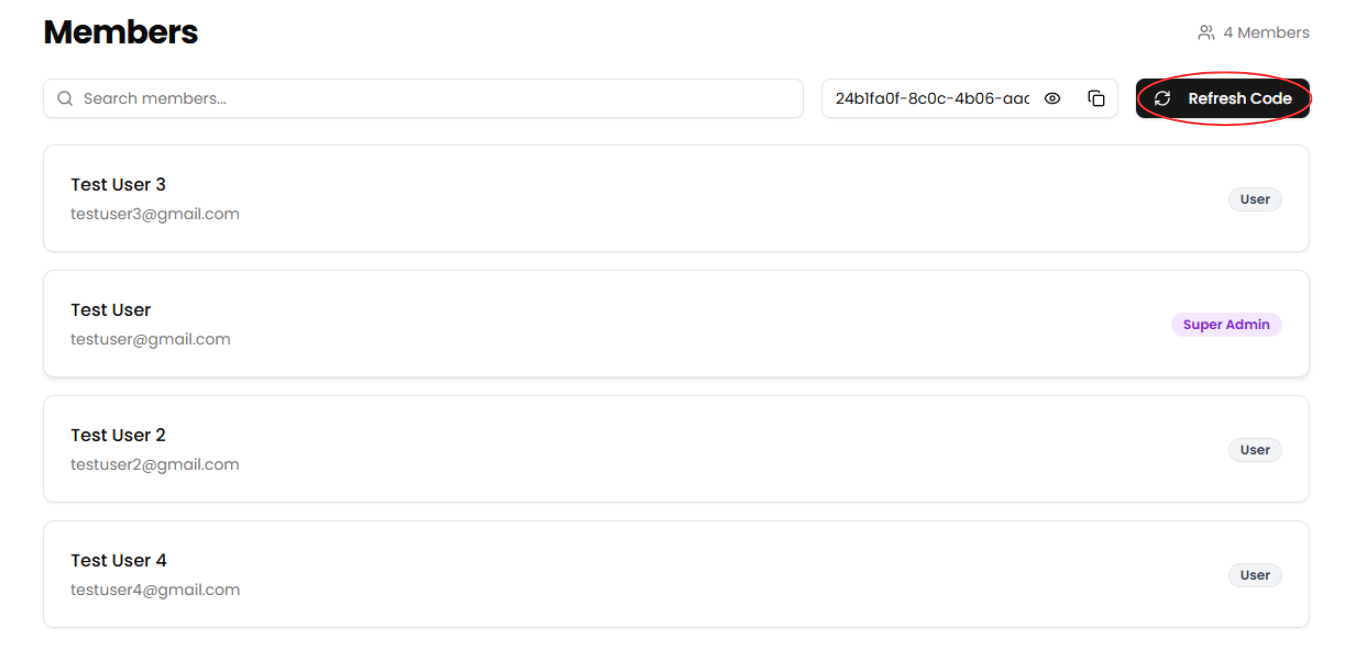
Ensure you're signed in to yourorganization.organization’s dashboard. - Navigate to the Members page
Use the sidebar to access the Members section. - Click "Refresh Code"
Select the Refresh Code button toreceivegenerate a new organization accesscodecode.andThis will automatically invalidate theoldpreviousone.code.
What to do if a ticket fails to send?
LogIfina ticket doesn’t reach the attendee, use the Reissuing Ticket feature toyourresendorganizationEnsure you're signed in to your organization.Navigateit to theEvents DashboardUse the sidebar to access theDashboardsection.Find Your Event in the Calendar ViewUse the calendar to navigate to the date of your event.Click on the Event DateThis will display all events scheduled for that day.Select Your EventClick on the event with the failed ticket.Click "View Attendees"Select theView Attendeesbutton to view the attendees of the event.Find the attendee with the failed ticketScroll down the list of attendees or search by name to find the attendee who's ticket failed to send.Reissue the attendee's ticketSelect theActionsbutton, selectReissuefrom the dropdown and enter the attendee's email. Ensure that thecorrect emailis spelled correctly, then press theReissue Ticketbutton.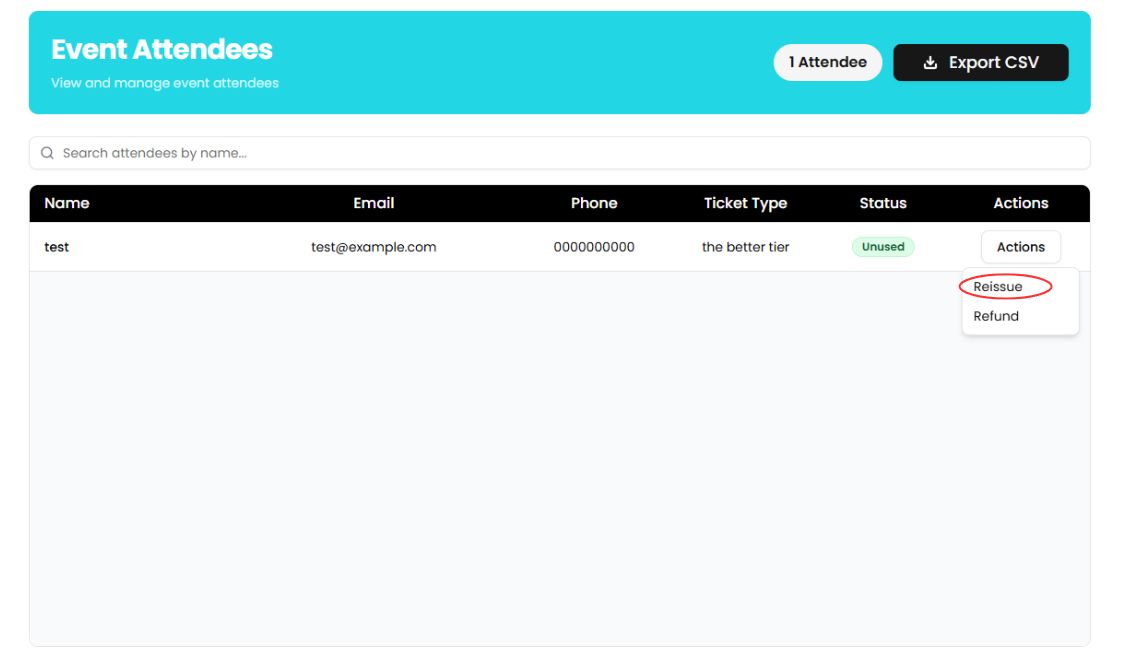
What to do if my payouts aren't going through?
- Log in to your organization
EnsureMake sure you're signed in to yourorganization.organization’s dashboard. - Navigate to the Finances page
Use the sidebar to access the Finances section. - Check for an alert
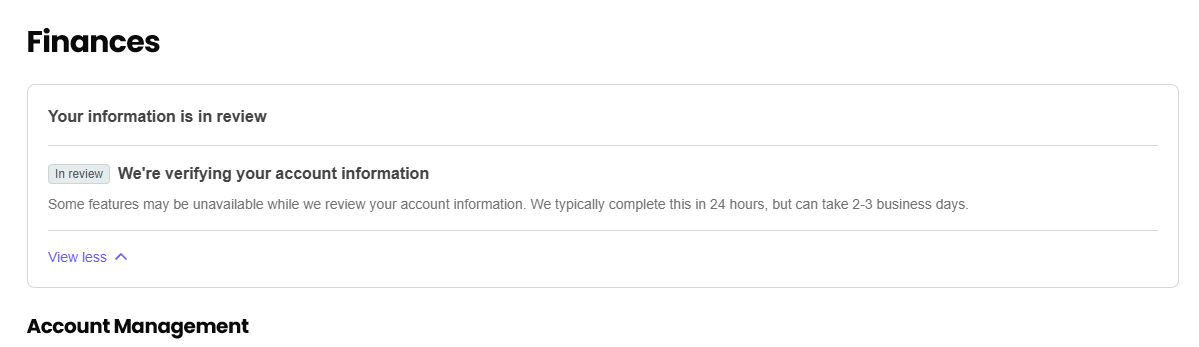
CheckLooktoforsee if there is anany alerton theFinancespagemessages above the Account Management section.AnTheseexamplealertsofmayanincludealertrequestsyoufromcouldStripe—forreceiveexample,istoasking forverify yourID.identity. Completetheany required steps in the alert tostartresume receivingpayouts again.payouts.
What to do if I forget my password?
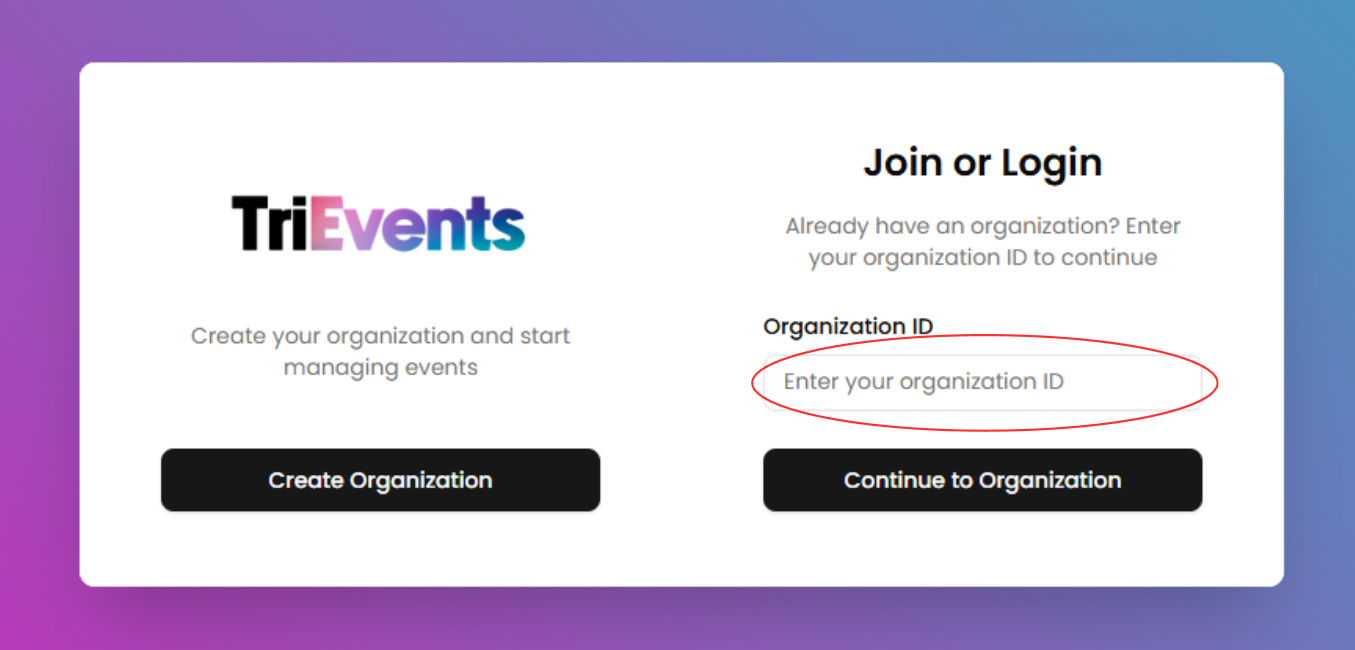
- Enter your
organization's "OrganizationID"ID
On the authentication page,entertype your organization's Organization IDininto thefielddesignatedandfield, then clicktheContinue to Organizationbutton.to proceed.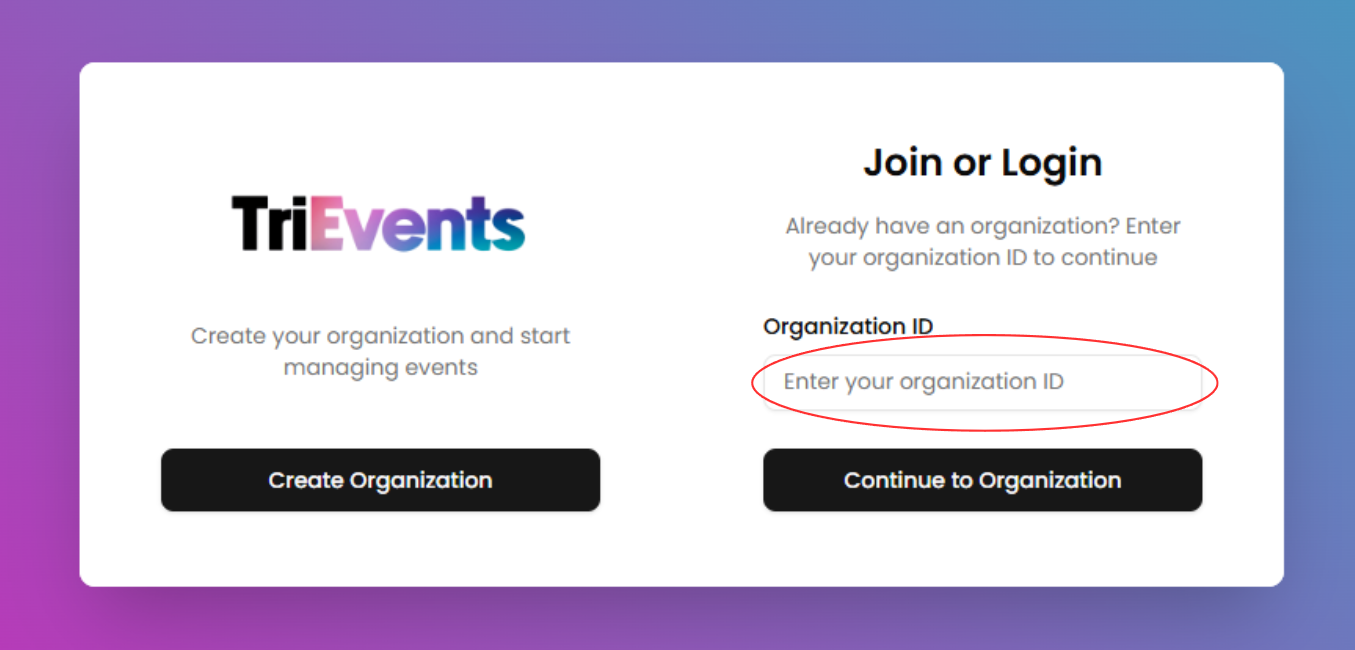
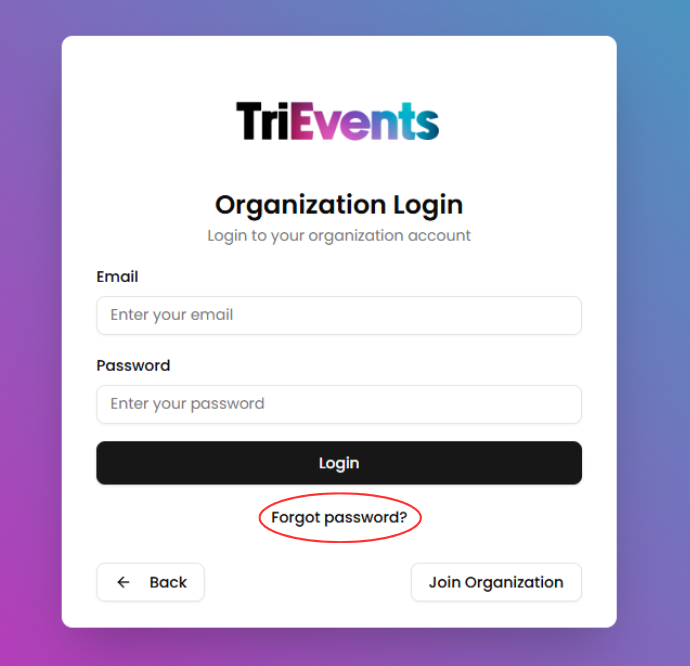
- Click "Forgot password?"
Select the Forgot password? button on the login page.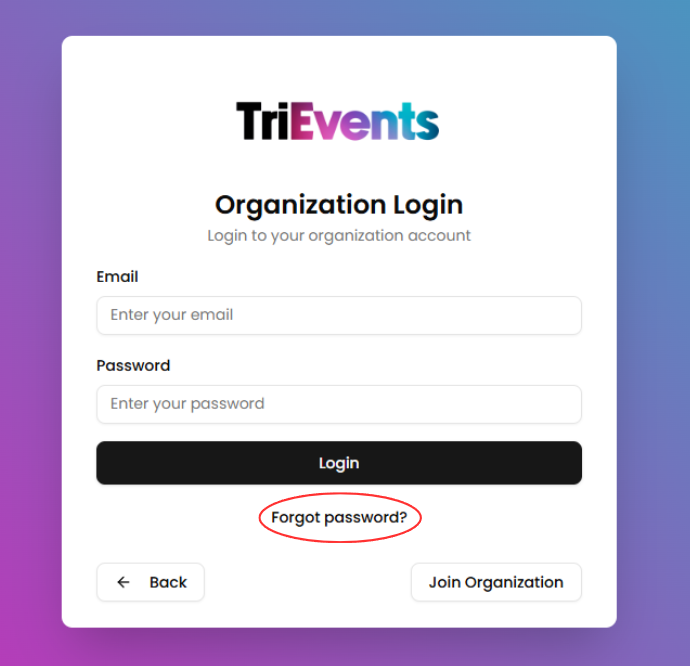
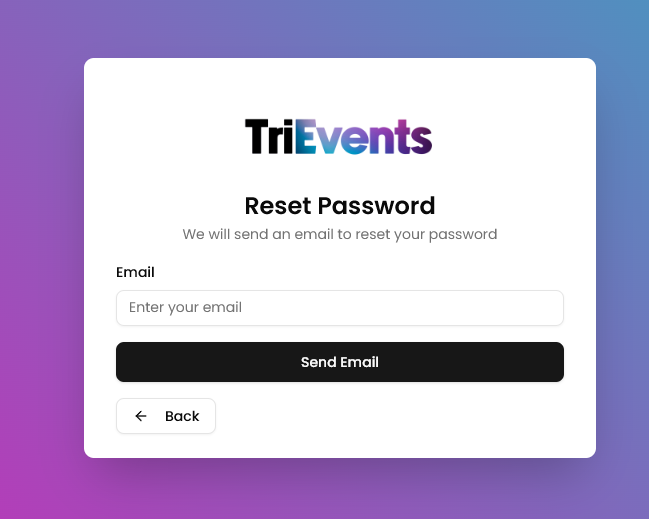
- Enter
youyouremailEmailadressAddressEnterType your email address into the field andpressclicktheSend Emailbuttonto receivethea passwordchangeresetemail.link in your inbox.
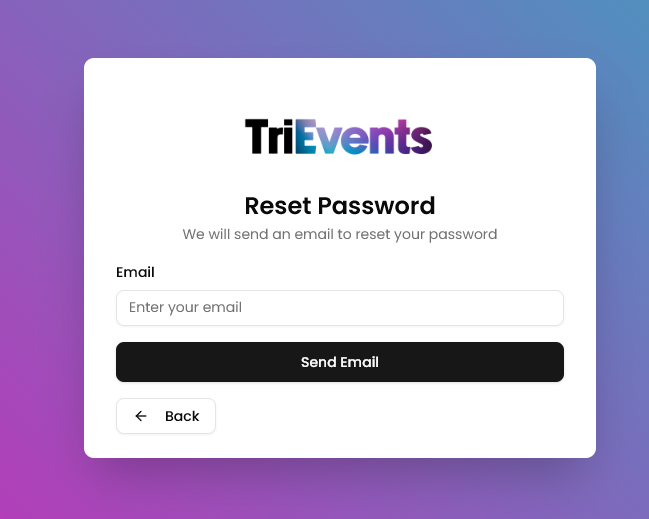
NavigateOpentothe Password Reset Email
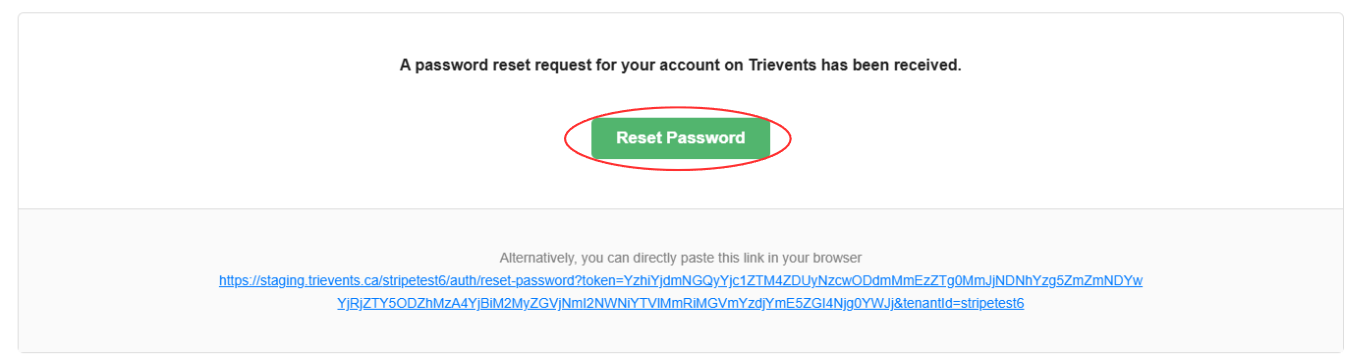
Open your inbox and find the passwordchange emailGo to your email inbox and open the password changereset email. Clickonthe Reset Password button inside theResetemailPasswordtobutton.proceed.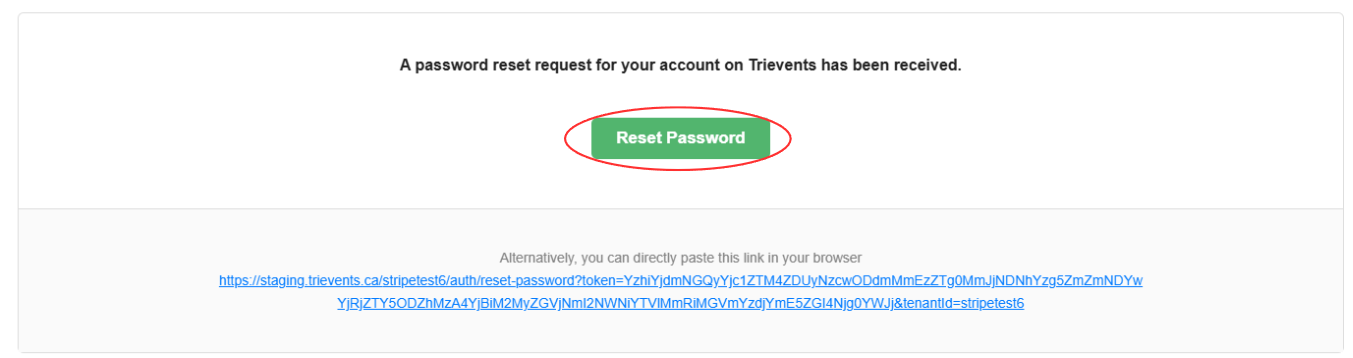
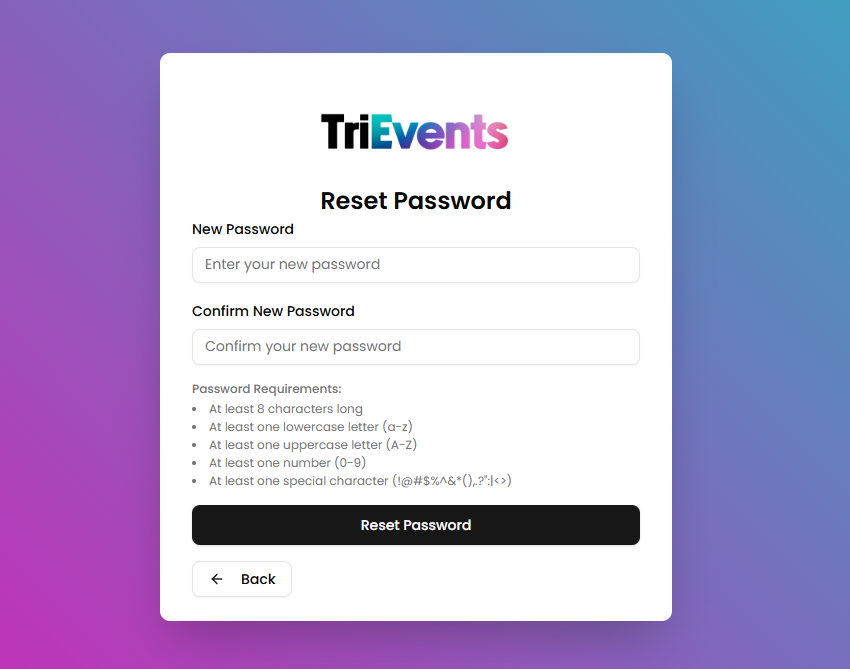
- Choose a
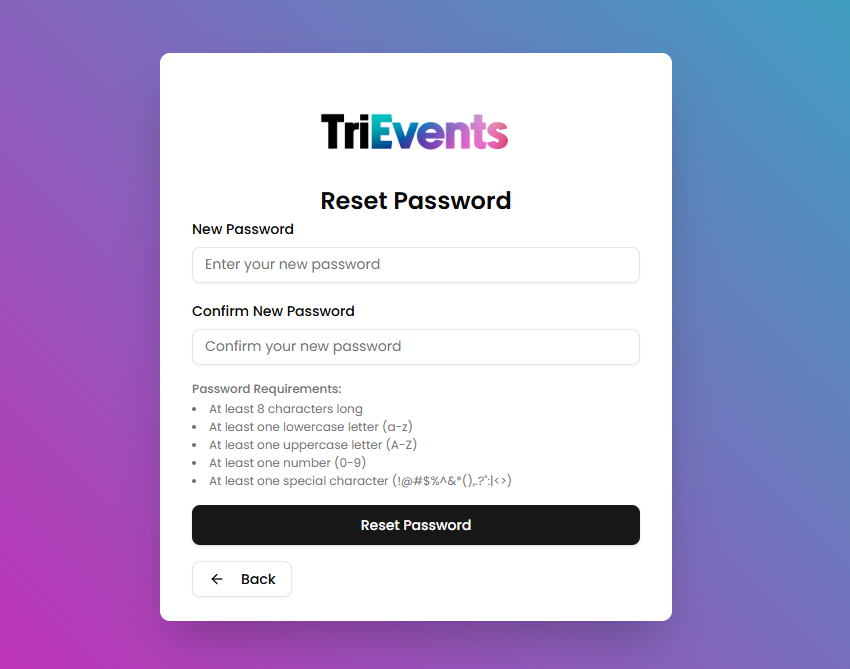
newNewpasswordPassword
Enter a new password into the fields and press the Reset Password button to reset your password.